Data sources
Use data you already maintain
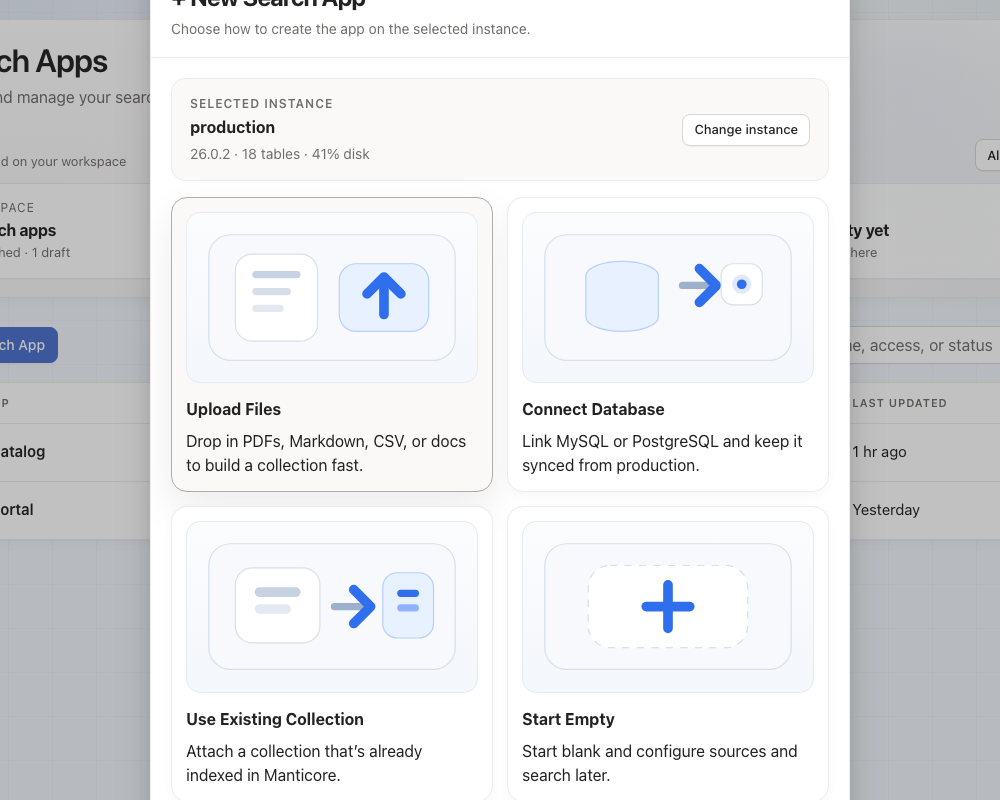
Start from files, databases, or existing collections on your PC or server — no dedicated server setup required.
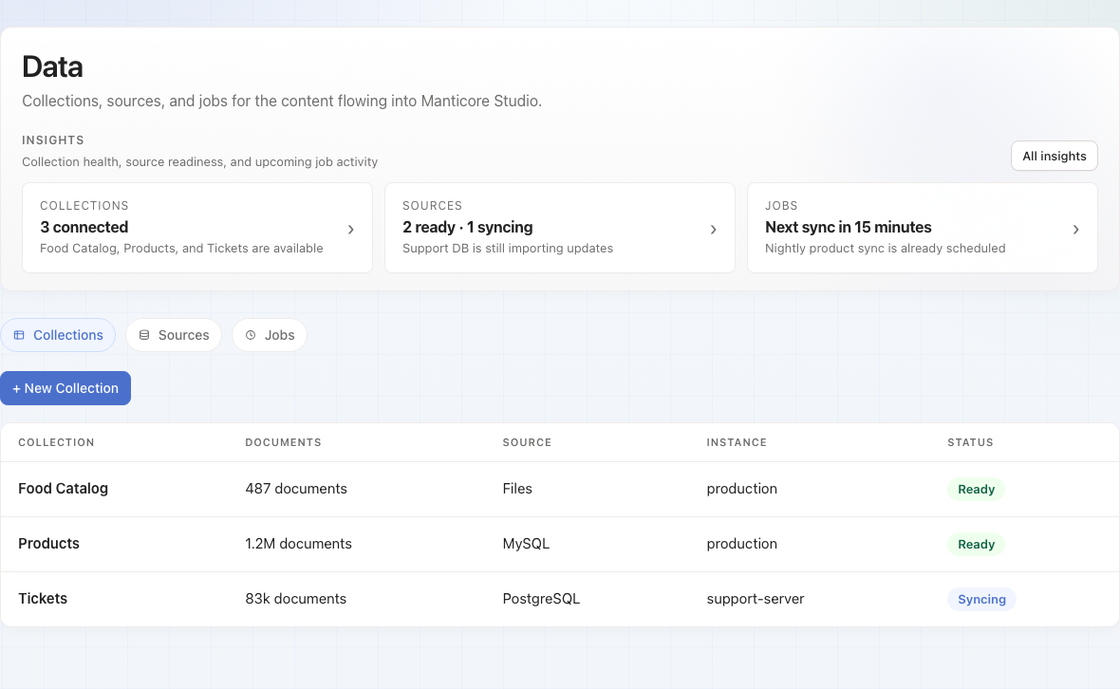
Start from data on your PC or server. No dedicated server setup is required: shape the search experience and share it with the people who need it.
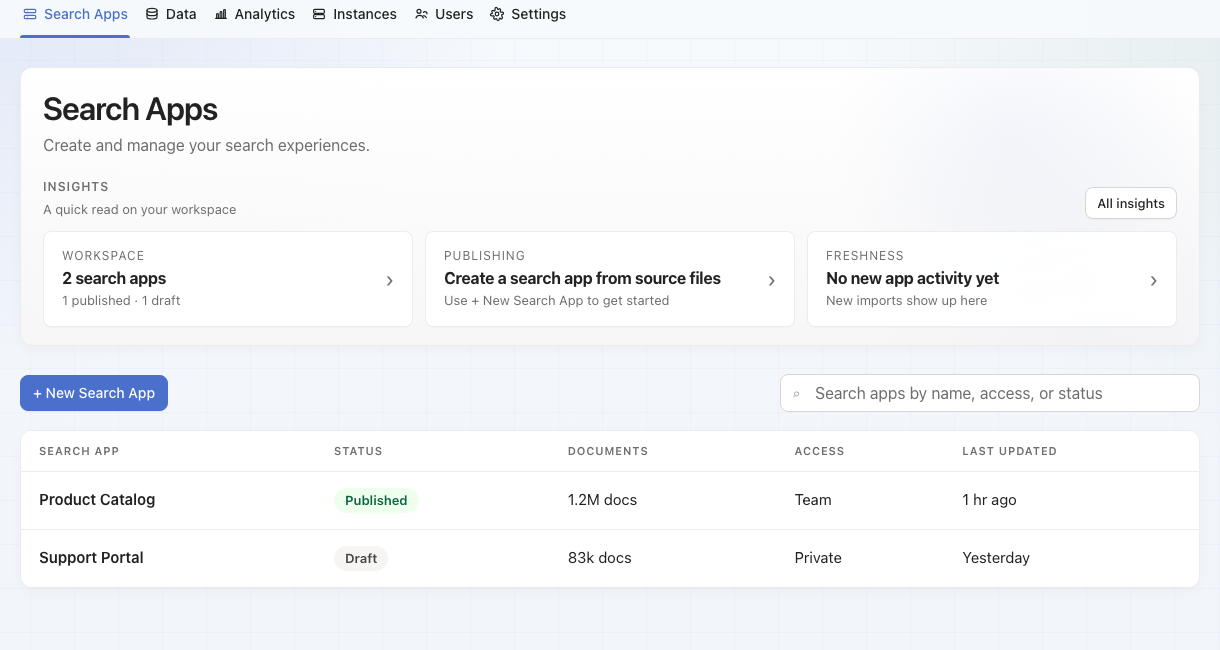
You have records, catalogs, or documents that matter. In minutes, turn them into a focused search app from your PC or server — without dedicated server setup.
Give customers, partners, and teams a focused way to search the records, products, or documents relevant to them.
Use existing files, databases, or collections from your PC or server instead of recreating the data for a separate interface.
Give each audience a search app designed around what they need to find.
Connect data, set up fields, review search results, share the app, and learn from what people search for.
Start from files, databases, or existing collections on your PC or server — no dedicated server setup required.
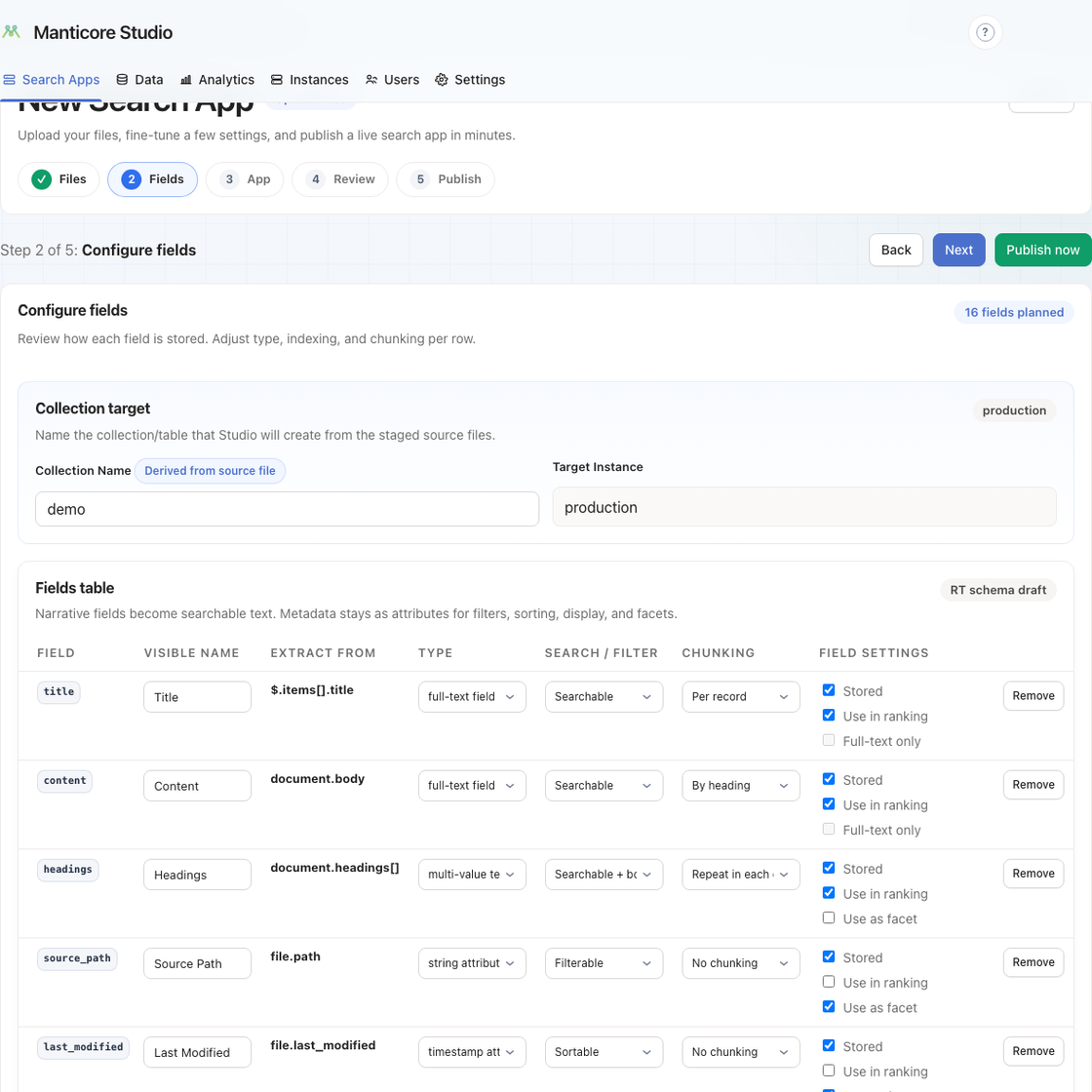
Shape the app around the fields people should search, filter, sort, or not see.
Check queries, ranking, and results before the app is shared.
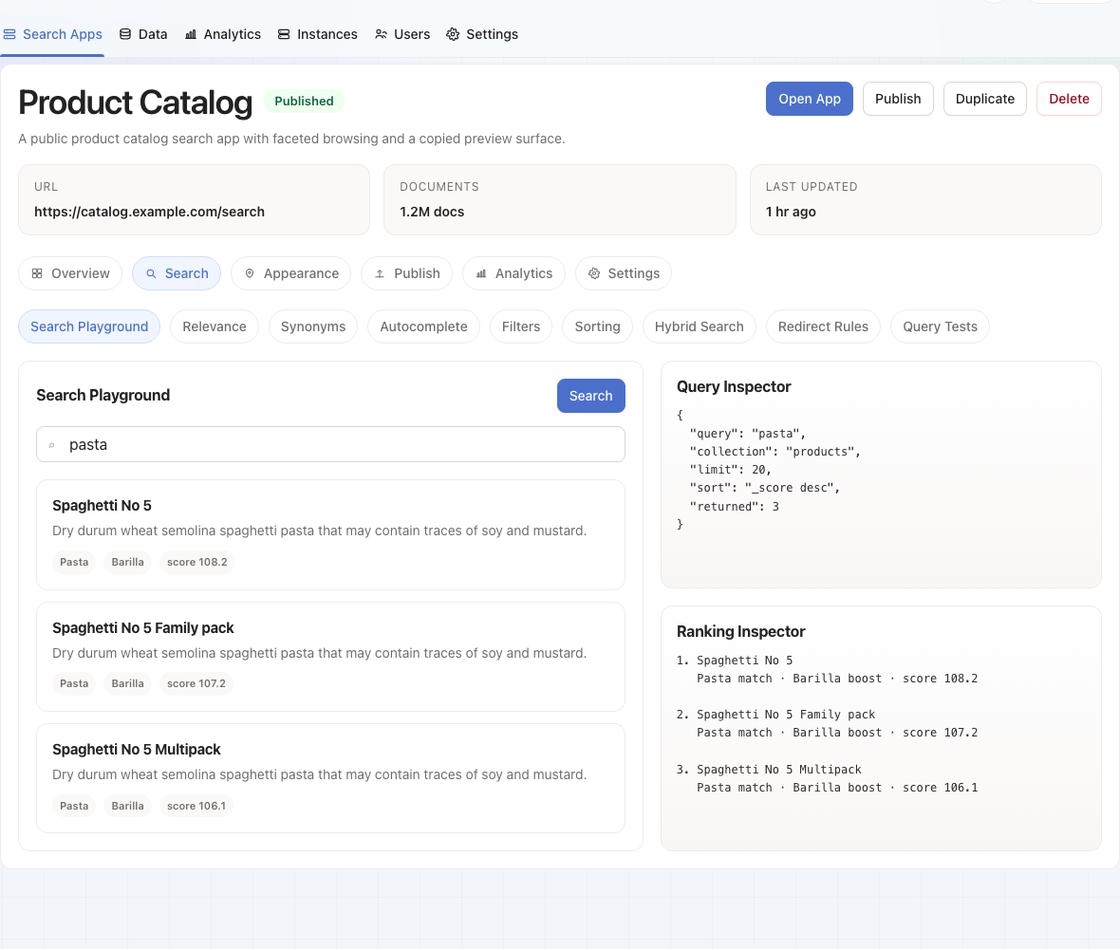
Check the app as your customer, partner, or teammate would use it before you share it.
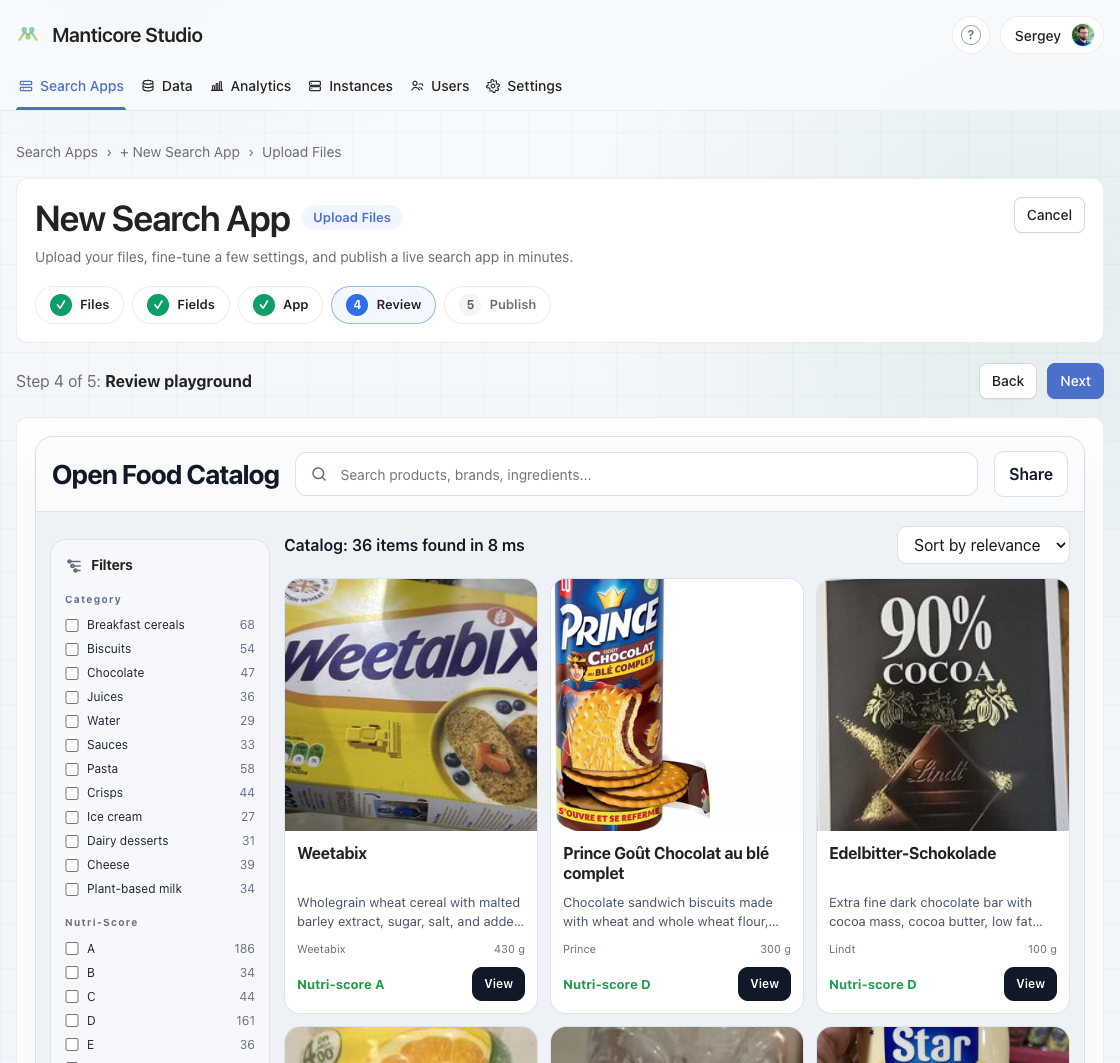
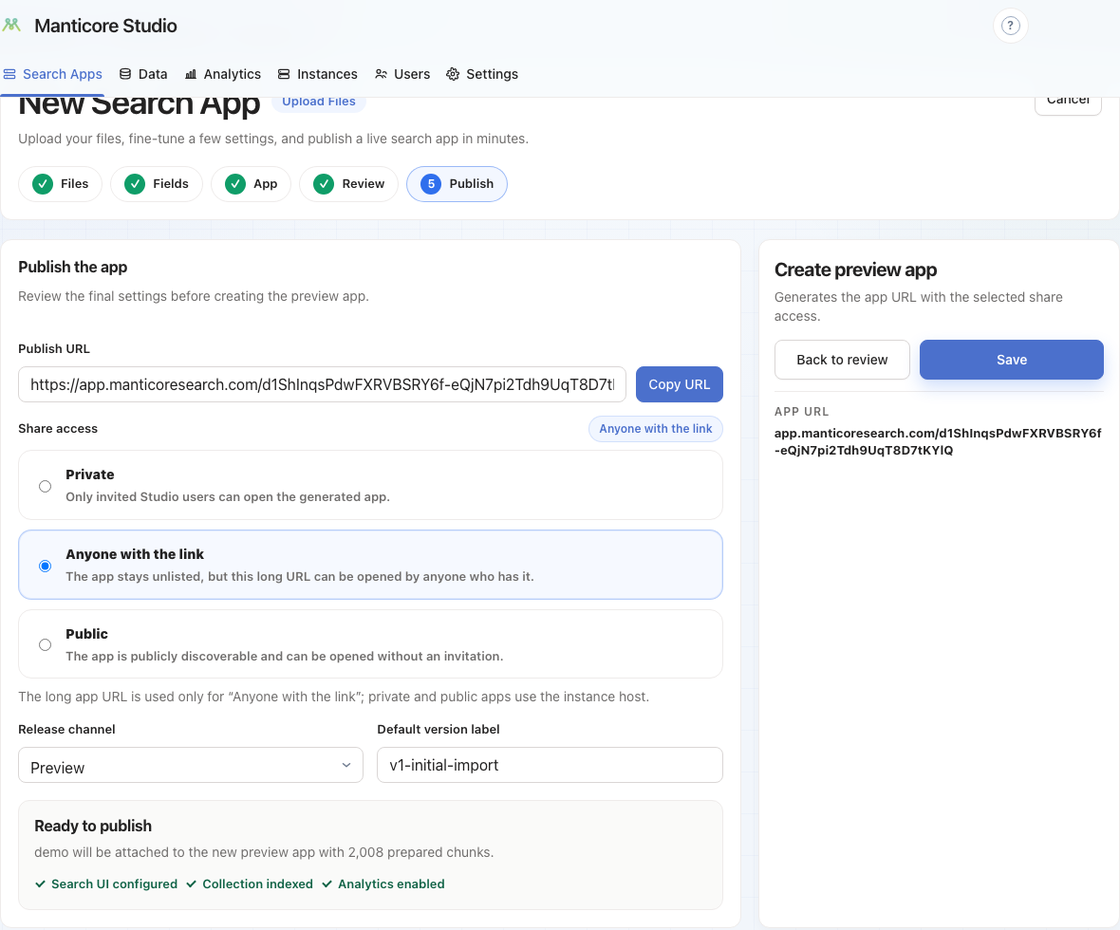
Design sharing around public, unlisted, private, and invite-based access.
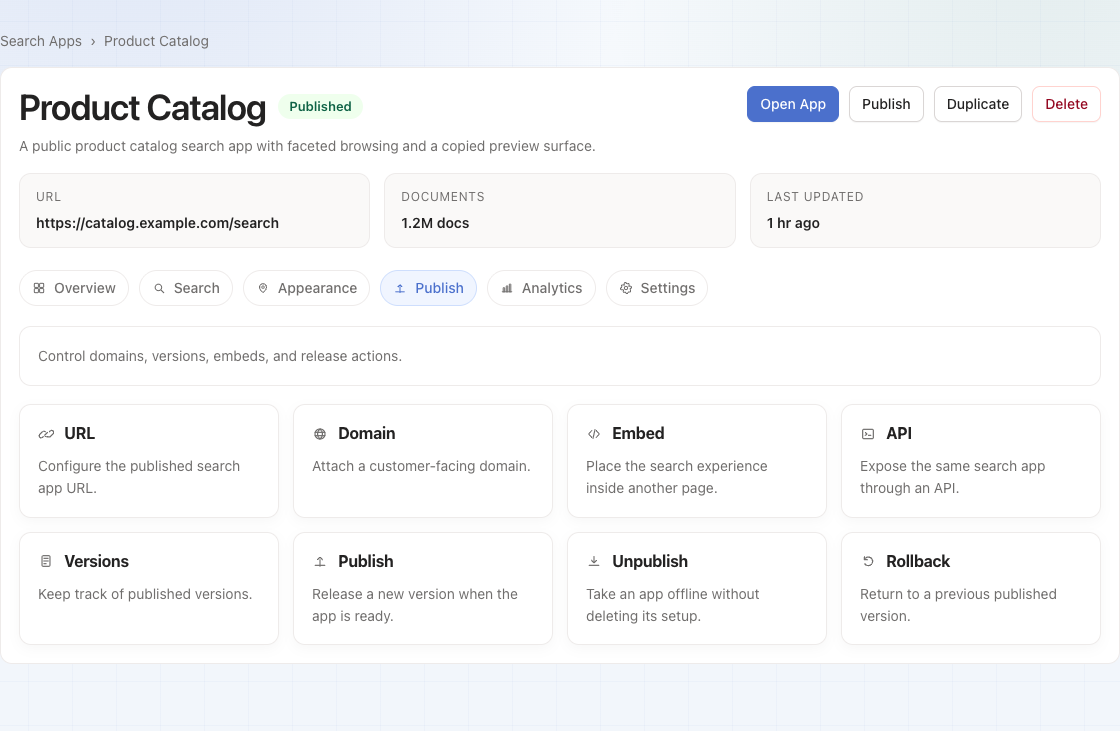
Manage publishing settings such as URLs, domains, adding search to your website, versions, and rollback as the app evolves.
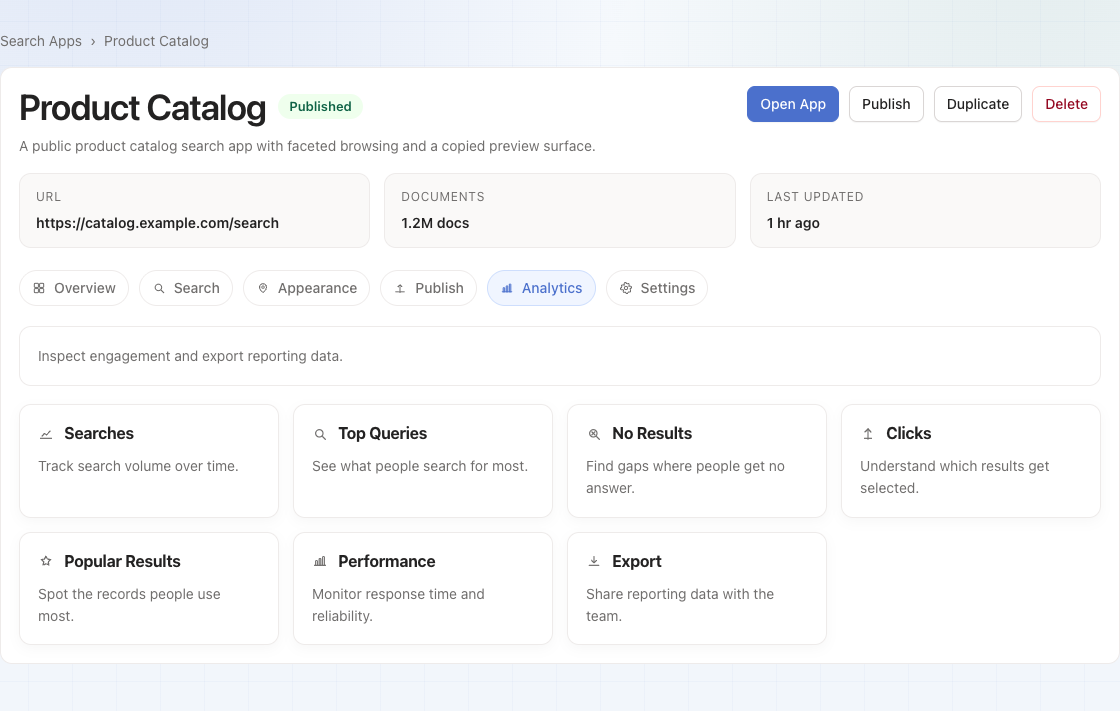
Use searches, no-result queries, and result interactions to guide improvements.
Start with the data you maintain on a PC or server. No dedicated server setup is required: decide what people should be able to find, review the experience, then share it with the intended audience.
Help customers or teams find products, parts, and inventory.
Help people find the guide, document, or answer they need.
Help support and operations teams find the right record.
Give partners a focused search app for the information they are meant to access.
Watch the four-minute product tour: connect a PC or server to Manticore Search Studio, shape the search experience, review it, publish it, and manage what comes next.
Create the app from your PC or server, then select the fields and sharing model rather than expose the underlying data source.
Start from a PC or server; no dedicated server setup is required to create and publish a search app. Paid pricing varies with stored data, query volume, and managed services. On a paid plan, you can keep data on your own server or PC, or store it persistently in Manticore Cloud, then publish under your own name, use a custom domain, and access the API. The limits below still apply.
Swipe sideways to compare plans.
| What you get | Starter Free For a first search app | Team From $20/month For shared search apps | Business Custom For higher-volume, controlled production use |
|---|---|---|---|
| Data location | Your PC or server — no dedicated server required | Your PC or own server, or persistent Manticore Cloud storage | Dedicated managed setup, your own server or PC, or Manticore Cloud |
| Data sources | Files, databases, and existing data collections | Everything in Free, plus scheduled refreshes for changing data | Everything in Team, plus custom connectors and sync logic |
| Search apps | One published app | Multiple apps and saved drafts | Custom limits for larger deployments |
| Search capabilities | Full-text and hybrid search, autocomplete, synonyms, redirect rules, filters, facets, sorting, field visibility, and a review before sharing | Everything in Free, plus shared query tests and relevance review | Everything in Team, plus tailored ranking and relevance tuning |
| Sharing and publishing | Public page at a standard Manticore Search Studio address | Choose public or unlisted publishing; publish under your own name, use a custom domain, add search to your website, versions, and rollback | Everything in Team, with production publishing workflows |
| API access | — | API access for your search apps | API access sized for your data and query volume |
| Privacy and access | Public access only — no private pages, passwords, or unlisted links | Long randomized URLs for unlisted sharing, password-protected pages, email sign-in, private or invite-only access, team roles, and review | Everything in Team, plus SSO, SCIM, audit logs, IP allowlists, access policies, and advanced access requirements |
| Search insights | Top queries and no-result searches | Analytics export for searches, clicks, and no-result queries | Custom reporting and operating requirements |
| Operations and support | — | Managed app versions and rollback | Staging and production environments, deployment controls, onboarding, support, and architecture help from Manticore experts |
Manticore Search Studio is in development. Join now to be among the first to try it. The screens above show the workflow we’re building to turn the data you already have, on your PC or server, into a focused search app in minutes — without dedicated server setup. You’ll receive an early-access invitation and have a chance to help shape what comes next. Features and timing may evolve during beta.
Bring the data you have, the people who need to search it, and how you want to share it. We’ll help you create the right Manticore Search Studio setup from your PC or server — no dedicated setup required.
Prefer email? [email protected]