
В этом руководстве вы узнаете, как подсвечивать результаты поиска в Manticore Search. Подсветка результатов поиска пригодится, если вы хотите, чтобы их было легче читать в вашем приложении или на сайте.
Подсветка позволяет получать фрагменты результатов поиска с подсвеченными совпадающими ключевыми словами. Это делает поиск в вашем приложении удобнее.
Введение
Вы можете подсвечивать ключевые слова в тексте в Manticore Search, используя несколько методов.
- Оператор CALL SNIPPETS позволяет получить список фрагментов из документов (называемых сниппетами), содержащих совпадения. Его можно использовать отдельно от поискового запроса для подсветки строки или списка строк. Пример:
CALL SNIPPETS('my text with keyword', 'index', 'keyword');
- Функция SNIPPET() создаёт сниппет из переданных данных и запроса, используя указанные настройки индекса. Эта функция в основном используется в операторе SELECT для подсветки заданного текста, значения поля или текста, полученного из другого источника с помощью UDF (пользовательской функции). Подсвечивать можно по тому же запросу, что и в клаузе match, или по другому — на ваш выбор. Например:
SELECT SNIPPET(content,'camera') FROM index WHERE MATCH('camera');
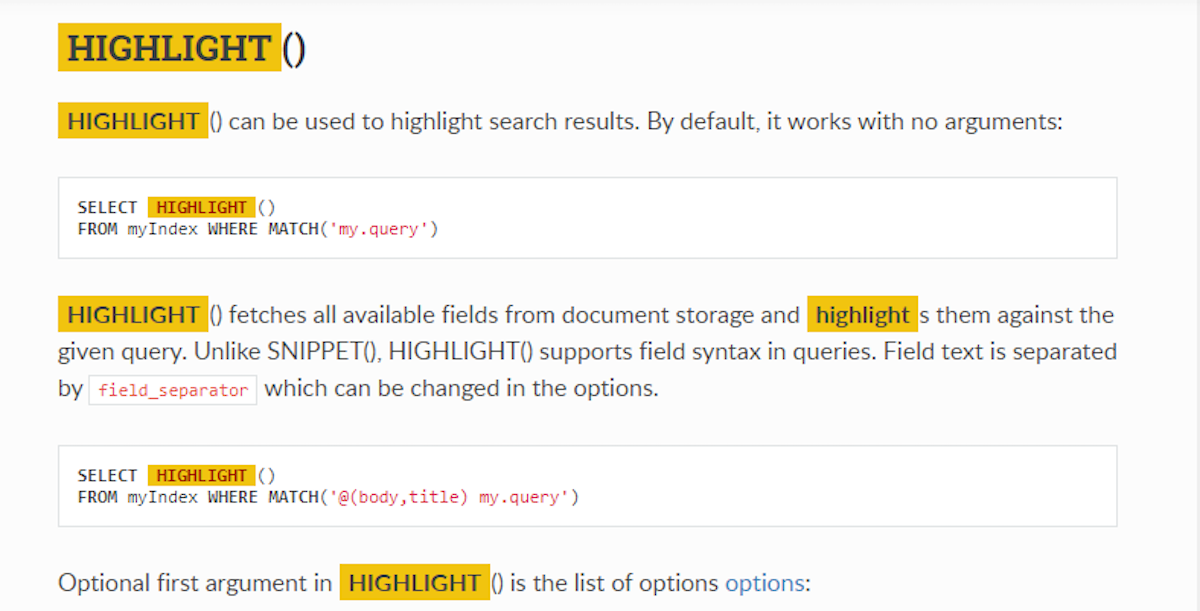
- Функция HIGHLIGHT() подсвечивает результаты поиска. Эта функция появилась в Manticore 3.2.2. Она упрощает подсветку ключевых слов в документах, если вы храните их в Manticore, а не только индексируете. Пример вызова:
SELECT HIGHLIGHT() FROM index WHERE MATCH('text feature');
Первые два способа, CALL SNIPPETS и SNIPPET(), возвращают список фрагментов документов (их называют сниппетами), в которых есть совпадения с искомым ключевым словом. Последний, HIGHLIGHT(), извлекает все доступные поля из хранилища документов
и подсвечивает в них совпадения с заданным запросом. В отличие от SNIPPET(), HIGHLIGHT() поддерживает в запросах синтаксис полей.
Все три способа принимают одинаковые параметры подсветки, которые мы рассмотрим далее. В этом руководстве мы покажем примеры использования HIGHLIGHT().
Предположим, у вас есть индекс «highlight» со следующими настройками:
index highlight
{
        type = rt
        path = highlight
        rt_field = title
        rt_field = content
        rt_attr_uint = gid
        stored_fields = title, content
        index_sp = 1
        html_strip = 1
}
Базовое использование
Быстрый пример:
Сначала добавьте документ:
INSERT INTO highlight(title,content,gid) VALUES('Syntax highlighting','Syntaxhighlighting is a feature of text editors that are used for programming, scripting, or markuplanguages, such as HTML. The feature displays text, especially source code, in different colors and fonts according to the category of terms.[1] This feature facilitates writing in a structured language such as a programming language or a markup language as both structures and syntax errors are visually distinct. Highlighting does not affect the meaning of the text itself;it is intended only for human readers.',1);
Затем выполните SELECT HIGHLIGHT():
SELECT HIGHLIGHT() AS h FROM highlight WHERE MATCH('text feature')\G
*************************** 1. row ***************************
h: Syntax highlighting is a <b>feature</b> of <b>text</b> editors that are used ... , such as HTML. The <b>feature</b> displays <b>text</b>, especially source code, in ... of terms.[1] This <b>feature</b> facilitates writing in a structured ... affect the meaning of the <b>text</b> itself; it is intended ...
По умолчанию все совпавшие слова подсвечиваются тегом «bold», а для отрывка вокруг каждого совпадения берётся не более 5 слов.
Отрывки по умолчанию разделяются символом ....
HTML-тег для подсветки совпадений выбран потому, что сниппеты часто показывают в HTML-контенте, но поведение можно настроить параметрами "before_match", "after_match", "around" и "chunk_separator". Например:
SELECT HIGHLIGHT({before_match='*',after_match='*',around=1,chunk_separator='###'}) AS h FROM highlight WHERE MATCH('text feature')\G
*************************** 1. row ***************************
h: ### a *feature* of *text*###. The *feature* displays *text*###] This *feature* facilitates### the *text* itself###
Управление размером сниппета
Настройки по умолчанию задают ограничение (в параметре с тем же именем — "limit") в 256 символов как максимальный размер сниппета. Вы можете изменить его следующим образом:
SELECT HIGHLIGHT({limit=10}) AS h FROM highlight WHERE MATCH('text feature')\G
*************************** 1. row ***************************
h:  ...  a <b>feature</b> ...
Ещё одно ограничение, которое можно изменить, — количество слов, включаемых в сниппет, определяемое параметром "limit_words":
SELECT HIGHLIGHT({limit_words=5},'content') AS h FROM highlight WHERE MATCH('text feature')\G
*************************** 1. row ***************************
h: ... . The <b>feature</b> displays <b>text</b>, especially ...
Также можно ограничить количество отрывков, например, если нам нужен только один отрывок:
SELECT HIGHLIGHT({limit_passages=1}) AS h FROM highlight WHERE MATCH('text feature')\G
*************************** 1. row ***************************
h:  ...  languages, such as HTML. The <b>feature</b> displays <b>text</b>, especially source code, in ...
По умолчанию функция HIGHLIGHT() возвращает найденные отрывки, разделённые заданным разделителем, в пределах объёма, заданного ограничением.
Поскольку возможно, что ограничение может быть недостаточным для всех отрывков, мы можем получить лишь часть возможных отрывков.
Чтобы продемонстрировать это, давайте сначала добавим документ с более длинным текстом.
INSERT INTO highlight(title,content) values('wikipedia','Syntax highlighting is a feature of text editors that are used for programming, scripting, or markup languages, such as HTML. The feature displays text, especially source code, in different colors and fonts according to the category of terms.[1] This feature facilitates writing in a structured language such as a programming language or a markup language as both structures and syntax errors are visually distinct. Highlighting does not affect the meaning of the text itself; it is intended only for human readers. Syntax highlighting is a form of secondary notation, since the highlights are not part of the text meaning, but serve to reinforce it. Some editors also integrate syntax highlighting with other features, such as spell-checking or code folding, as aids to editing which are external to the language. Contents 1Practical benefits 2Support in text editors 3Syntax elements 3.1Examples 4History and limitations 5See also 6References Practical benefits Highlighting the effect of missing delimiter (after watch=false) in Javascript Syntax highlighting is one strategy to improve the readability and context of the text; especially for code that spans several pages. The reader can easily ignore large sections of comments or code, depending on what they are looking for. Syntax highlighting also helps programmers find errors in their program. For example, most editors highlight string literals in a different color. Consequently, spotting a missing delimiter is much easier because of the contrasting color of the text. Brace MATCHing is another important feature of many popular editors. This makes it simple to see if a brace has been left out or locate the MATCH of the brace the cursor is on by highlighting the pair in a different color. A study published in the conference PPIG evaluated the effects of syntax highlighting on the comprehension of short programs, finding that the presence of syntax highlighting significantly reduces the time taken for a programmer to internalize the semantics of a program.[2] Additionally, data gathered FROM an eye-tracker during the study suggested that syntax highlighting enables programmers to pay less attention to standard syntactic components such as keywords. Support in text editors gedit supports syntax highlighting Some text editors can also export the colored markup in a format that is suitable for printing or for importing into word-processing and other kinds of text-formatting software; for instance asa HTML, colorized LaTeX, PostScript or RTF version of its syntax highlighting. There are several syntax highlighting libraries or "engines" that can be used in other applications, but are not complete programs in themselves, for example the Generic Syntax Highlighter (GeSHi) extension for PHP. For editors that support more than one language, the user can usually specify the language of the text, such as C, LaTeX, HTML, or the text editor can automatically recognize it based on the file extension or by scanning contents of the file. This automatic language detection presents potential problems. For example, a user may want to edit a document containing: morethan one language (for example when editing an HTML file that contains embedded Javascript code), a language that is not recognized (for example when editing source code for an obscure or relatively new programming language), a language that differs FROM the file type (for example when editing source code in an extension-less filein an editor that uses file extensions to detect the language). In these cases, it is not clear what language to use, and a document may not be highlighted or be highlighted incorrectly. Syntax elements Most editors with syntax highlighting allow different colors and text styles to be given to dozens of different lexical sub-elements of syntax. These include keywords, comments, control-flow statements, variables, and other elements. Programmers often heavily customize their settings in an attempt to show as much useful information as possible without making the code difficult to read. ');
Теперь подсветим его:
SELECT HIGHLIGHT({},'content') AS h FROM highlight WHERE MATCH('syntax')\G
*************************** 1. row ***************************
h: <b>syntax</b> highlighting is a feature of ... language as both structures and <b>syntax</b> errors are visually distinct. Highlighting ...
*************************** 2. row ***************************
h: ... version of its <b>syntax</b> highlighting. There are several <b>syntax</b> highlighting libraries ... highlighted incorrectly. <b>syntax</b> elements Most editors with <b>syntax</b> highlighting allow different ... different lexical sub-elements of <b>syntax</b>. These include keywords, comments, ...
Для только что добавленного документа HIGHLIGHT() возвращает не все отрывки. Можно увеличить ограничение, но вопрос — насколько. Если задать слишком большое значение, HIGHLIGHT() вернёт весь текст целиком (вместе с подсветкой):
SELECT HIGHLIGHT({limit=10000},'content') AS h FROM highlight WHERE MATCH('syntax')\G
*************************** 1. row ***************************
h: <b>syntax</b> highlighting is a feature of text editors that are used for programming, scripting, or markuplanguages, such as HTML. The feature displays text, especially source code, in different colors and fonts according to the category of terms.[1] This feature facilitates writing in a structured language such as a programming language or a markup language as both structures and <b>syntax</b> errors are visually distinct. Highlighting does not affect the meaning of the text itself; it is intended only for human readers.
*************************** 2. row ***************************
h: <b>syntax</b> highlighting is a feature of text editors that are used for programming, scripting, or markuplanguages, such as HTML. The feature displays text, especially source code, in different colors and fonts according to the category of terms.[1] This feature facilitates writing in a structured language such as a programming language or a markup language as both structures and <b>syntax</b> errors are visually distinct. Highlighting does not affect the meaning of the text itself; it is intended only for human readers. <b>syntax</b> highlighting is a form of secondary notation, since the highlights are not part of the text meaning, but serve to reinforce it. Some editors also integrate <b>syntax</b> highlighting with other features, such as spell checking orcode folding, as aids to editing which are external to the language. Contents 1Practical benefits 2Support in text editors 3Syntax elements 3.1Examples 4History and limitations 5See also 6References Practical benefits Highlighting the effect of missing delimiter (after watch=false) in Javascript <b>syntax</b> highlighting is one strategy to improve the readability and context of the text; especially for code that spans several pages. The reader can easily ignore large sections of comments or code, depending on what they are looking for. <b>syntax</b> highlighting also helps programmers find errors in their program. For example, most editors highlight stringliterals in a different color. Consequently, spotting a missing delimiter is much easier because of the contrasting color of the text. Brace MATCHing is another important feature with many popular editors. This makes it simple to see if a brace has been left out or locate the MATCH of the brace the cursor is on by highlighting thepair in a different color. A study published in the conference PPIG evaluated the effects of <b>syntax</b> highlighting on the comprehension of short programs, finding that the presence of <b>syntax</b> highlighting significantly reduces the time taken for a programmer to internalise the semantics of a program.[2] Additionally, data gathered FROM an eye-tracker during the study suggested that <b>syntax</b> highlighting enables programmers to pay less attention to standard syntactic components such as keywords. Support in text editors gedit supports<b>syntax</b> highlighting Some text editors can also export the coloured markup in a format that is suitable for printing or for importing into word-processing and other kinds of text-formatting software; for instance asa HTML, colorized LaTeX, PostScript or RTF version of its <b>syntax</b> highlighting. There are several <b>syntax</b> highlighting libraries or "engines" that can be used in other applications, but are not complete programs in themselves, for example the Generic <b>syntax</b> Highlighter (GeSHi) extension for PHP. For editors thatsupport more than one language, the user can usually specify the language of the text, such as C, LaTeX, HTML,or the text editor can automatically recognize it based on the file extension or by scanning contents of the file. This automatic language detection presents potential problems. For example, a user may want to edit a document containing: more than one language (for example when editing an HTML file that contains embedded Javascript code), a language that is not recognized (for example when editing source code for an obscure or relatively new programming language), a language that differs FROM the file type (for example when editing source code in an extension-less file in an editor that uses file extensions to detect the language). In these cases, it is notclear what language to use, and a document may not be highlighted or be highlighted incorrectly. <b>syntax</b>elements Most editors with <b>syntax</b> highlighting allow different colors and text styles to be given to dozens of different lexical sub-elements of <b>syntax</b>. These include keywords, comments, control-flow statements, variables, and other elements. Programmers often heavily customize their settings in an attempt to show asmuch useful information as possible without making the code difficult to read.
Если нужны только отрывки, а не весь текст с подсветкой, нужна опция "force_passages":
SELECT HIGHLIGHT({limit=10000,force_passages=1},'content') AS h FROM highlight WHERE MATCH('syntax')\G
*************************** 1. row ***************************
h: <b>syntax</b> highlighting is a feature of ... language as both structures and <b>syntax</b> errors are visually distinct. Highlighting ...
*************************** 2. row ***************************
h: <b>syntax</b> highlighting is a feature of ... language as both structures and <b>syntax</b> errors are visually distinct. Highlighting ... intended only for human readers. <b>syntax</b> highlighting is a form of ... it. Some editors also integrate <b>syntax</b> highlighting with other features, such ... (after watch=false) in Javascript <b>syntax</b> highlighting is one strategy to ... what they are looking for. <b>syntax</b> highlighting also helps programmers find ... PPIG evaluated the effects of <b>syntax</b> highlighting on the comprehension of ... , finding that the presence of <b>syntax</b> highlighting significantly reduces the time ... during the study suggested that <b>syntax</b> highlighting enables programmers to pay ... in text editors gedit supports <b>syntax</b> highlighting Some text editors can ... version of its <b>syntax</b> highlighting. There are several <b>syntax</b> highlighting libraries or ... themselves, for example the Generic <b>syntax</b> Highlighter (GeSHi) extension for PHP ... be highlighted incorrectly. <b>syntax</b> elements Most editors with <b>syntax</b> highlighting allow different ... different lexical sub-elements of <b>syntax</b>. These include keywords, comments, control ...
Ещё один способ получить весь текст с подсветкой — просто установить limit=0:
SELECT HIGHLIGHT({limit=0},'content') AS h FROM highlight WHERE MATCH('text feature')\G
*************************** 1. row ***************************
h: Syntax highlighting is a <b>feature</b> of <b>text</b> editors that are used for programming, scripting, ormarkup languages, such as HTML. The <b>feature</b> displays <b>text</b>, especially source code, in different colors and fonts according to the category of terms.[1] This <b>feature</b> facilitates writing in a structuredlanguage such as a programming language or a markup language as both structures and syntax errors are visuallydistinct. Highlighting does not affect the meaning of the <b>text</b> itself; it is intended only for human readers.
*************************** 2. row ***************************
h: Syntax highlighting is a <b>feature</b> of <b>text</b> editors that are used for programming, scripting, ormarkup languages, such as HTML. The <b>feature</b> displays <b>text</b>, especially source code, in different colors and fonts according to the category of terms.[1] This <b>feature</b> facilitates writing in a structuredlanguage such as a programming language or a markup language as both structures and syntax errors are visuallydistinct. Highlighting does not affect the meaning of the <b>text</b> itself; it is intended only for human readers. Syntax highlighting is a form of secondary notation, since the highlights are not part of the <b>text</b> meaning, but serve to reinforce it. Some editors also integrate syntax highlighting with other features, suchas spell checking or code folding, as aids to editing which are external to the language. Contents 1Practical benefits 2Support in <b>text</b> editors 3Syntax elements 3.1Examples 4History and limitations 5See also 6References Practical benefits Highlighting the effect of missing delimiter (after watch=false) in Javascript Syntax highlighting is one strategy to improve the readability and context of the <b>text</b>; especially for code that spans several pages. The reader can easily ignore large sections of comments or code, depending on what they are looking for. Syntax highlighting also helps programmers find errors in their program. For example, most editors highlight string literals in a different color. Consequently, spotting a missing delimiter is much easier because of the contrasting color of the <b>text</b>. Brace MATCHing is another important <b>feature</b> with many popular editors. This makes it simple to see if a brace has been left out or locate the MATCH of the brace the cursor is on by highlighting the pair in a different color. A study published in the conference PPIG evaluated the effects of syntax highlighting on the comprehension of short programs, finding that the presence of syntax highlighting significantly reduces the time taken for a programmer to internalise the semantics of a program.[2] Additionally, data gathered FROM an eye-tracker during the study suggested that syntax highlighting enables programmers to pay less attention to standard syntactic components such as keywords. Support in <b>text</b> editors gedit supports syntax highlighting Some <b>text</b> editors can also export the coloured markup in a format that is suitable for printing or for importing into word-processing and other kinds of <b>text</b>-formatting software; for instance as a HTML, colorized LaTeX, PostScript or RTF version of its syntax highlighting. There are several syntax highlighting libraries or "engines" that can be used in other applications, but are not complete programs in themselves, for example the Generic Syntax Highlighter (GeSHi) extension for PHP. For editors that support more than one language, the user can usually specify the language of the <b>text</b>, such as C, LaTeX, HTML, or the <b>text</b> editor can automatically recognize it based on the file extension or by scanning contents of the file. This automatic language detection presents potential problems. For example, a user may want to edit a document containing: more than one language (for example when editing an HTML file that contains embedded Javascript code), a language that is not recognized (for example when editing source code for an obscure or relatively new programming language), a language that differs FROM the file type (for example when editing source code in an extension-less file in an editor that uses file extensions to detect the language). In these cases, it is not clear what language to use, and a document may not be highlighted or be highlighted incorrectly. Syntax elements Most editors with syntax highlighting allow different colors and <b>text</b> styles to be given to dozens of different lexical sub-elements of syntax. These include keywords, comments, control-flow statements, variables, and other elements. Programmers often heavily customize their settings in an attempt to show as much useful information as possible without making the code difficult to read.
Удаление HTML и границы
Если наш индекс поддерживает определение предложений, можно настроить подсветку так, чтобы отрывки не выходили за границы предложений:
SELECT HIGHLIGHT({},'content') AS h FROM highlight WHERE MATCH('html text')\G
*************************** 1. row ***************************
h:  ...  highlighting is a feature of <b>text</b> editors that are used for ... markup languages, such as <b>HTML</b>. The feature displays <b>text</b>, especially source code ... affect the meaning of the <b>text</b> itself; it is intended only ... 1 row in set (0.00 sec)
В этом примере отрывок «... markup languages, such as HTML. The feature displays text, especially source code ...» захватывает сразу два предложения.
С параметром passage_boundary=sentence этот отрывок будет разбит на два:
SELECT HIGHLIGHT({passage_boundary='sentence'},'content') AS h FROM highlight WHERE MATCH('html text')\G
*************************** 1. row ***************************
h:  ...  highlighting is a feature of <b>text</b> editors that are used for ... , or markup languages, such as <b>HTML</b>. ... The feature displays <b>text</b>, especially source code, in different ... affect the meaning of the <b>text</b> itself; it is intended only ... 1 row in set (0.05 sec)
Добавим документ с HTML-контентом.
INSERT INTO highlight(title,content) values('html content','The ideas of syntax highlighting overlap significantly with those of <a title="Structure editor" href="/wiki/Structure_editor">syntax-directed editors</a> One of the first such class of editors for code was Wilfred Hansens 1969 code editor, Emily.<sup id="cite_ref-hansen_3-0" class="reference"><a href="#cite_note-hansen-3">[3]</a></sup><sup id="cite_ref-4" class="reference"><a href="#cite_note-4">[4]</a></sup> It provided advanced language-independent <a title="Autocomplete" href="/wiki/Autocomplete">code completion</a> facilities, and unlike modern editors with syntax highlighting, actually made it impossible to create syntactically incorrect programs.');
По умолчанию подсветка обрабатывает HTML-контент в зависимости от настроек индекса. Если в индексе включено удаление HTML, то результат HIGHLIGHT() тоже будет очищен от HTML.
SELECT HIGHLIGHT({},'content') AS h FROM highlight WHERE MATCH('code class')\G
*************************** 1. row ***************************
h:  ...  of the first such <b>class</b> of editors for code was Wilfred Hansens ... 1969 <b>code</b> editor, Emily.[3][4 ... ] It provided advanced language-independent <b>code</b> completion facilities, and unlike modern ...
Если нужно, чтобы результат подсветки содержал и HTML-теги, установите "html_strip_mode=none":
SELECT HIGHLIGHT({html_strip_mode='none'},'content') AS h FROM highlight WHERE MATCH('code class')\G
*************************** 1. row ***************************
h:  ... the first such <b>class</b> of editors for <b>code</b> was Wilfred ... 1969 <b>code</b> editor, Emily. <sup id="cite_ref-hansen_3-0" style="background: #EBE909; color: #000000;">class=" ... sup id="cite_ref-4" <b>class</b>="reference"><a title="Autocomplete" href="#cite_note- ... ="><b>code</b> completion facilities, and ... 1 row in set (0.05 sec)</a></sup>
Обратите внимание: с html_strip_mode=none могут подсвечиваться слова из синтаксиса HTML, например «class».
Чтобы защитить HTML-сущности, можно использовать режим retain, но для него нужно снять ограничение на размер сниппета (limit=0):
SELECT HIGHLIGHT({html_strip_mode='retain',limit=0},'content') AS h FROM highlight WHERE MATCH('code class')\G *************************** 1. row *************************** h:
<p>The ideas of syntax highlighting overlap significantly with those of <a title="Structure editor" href="/wiki/Structure_editor">syntax-directed editors</a> One of the first such <b>class</b> of editors for <b>class</b> was Wilfred Hansens 1969 <b>code</b> editor, Emily.<sup id="cite_ref-hansen_3-0" class="reference"><a href="#cite_note-hansen-3">[3]</a></sup><sup id="cite_ref-4" class="reference"><a href="#cite_note-4">[4]</a></sup> It provided advanced language-independent <a title="Autocomplete" href="/wiki/Autocomplete"><b>code</b> completion</a> facilities, and unlike modern editors with syntax highlighting, actually made it impossible to create syntactically incorrect programs</p>
В этом руководстве мы разобрали, как подсвечивать результаты поиска в Manticore Search с помощью функции HIGHLIGHT().
Интерактивный курс

Этот пост блога доступен в виде интерактивного курса, который включает командную строку, позволяющую интерактивно работать с приведёнными выше примерами.